1.
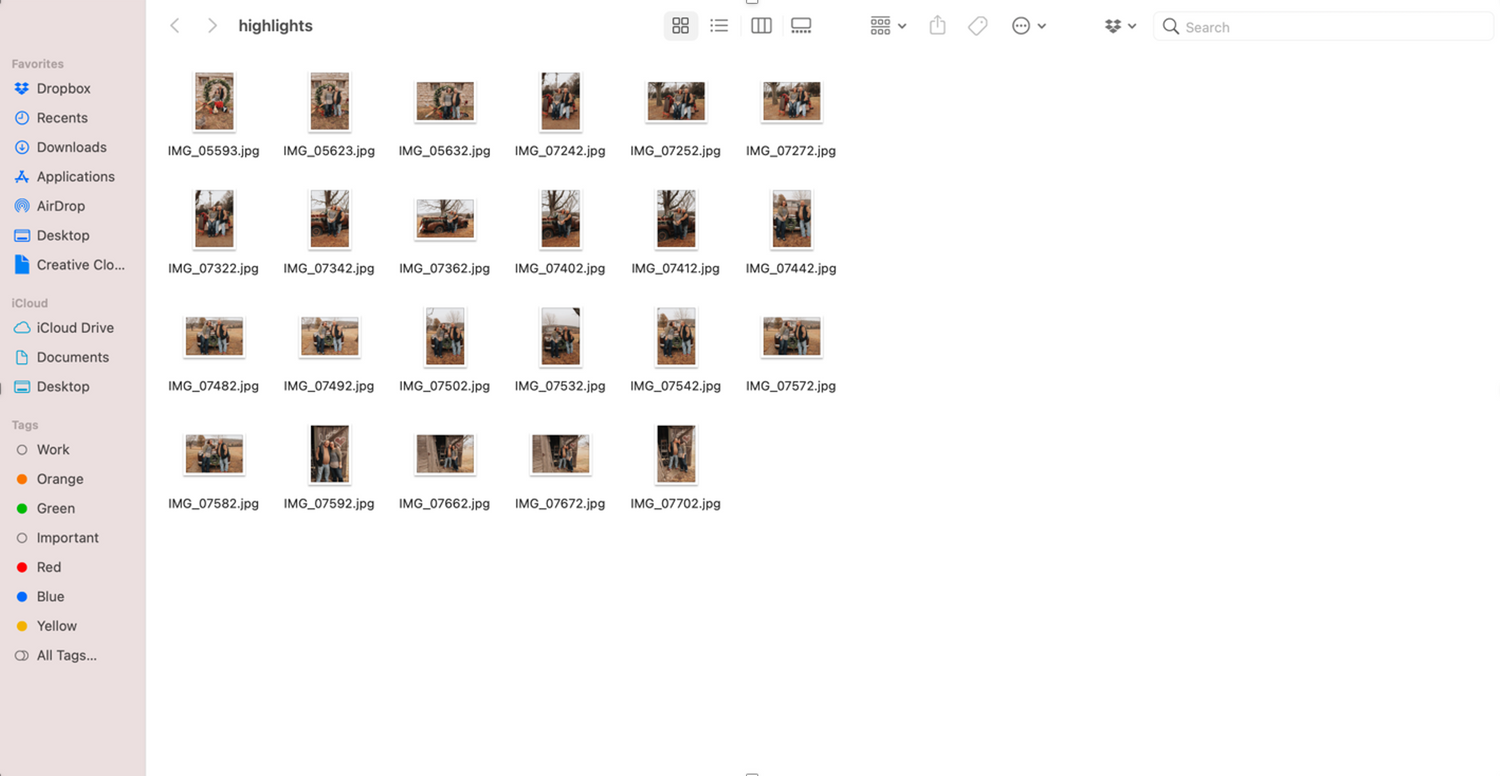
Click on the link that I sent you to access your photo gallery on Pixieset. You will click view gallery or just scroll down until you find the top of the gallery. Click on the "download" button at the top of the page.
2.
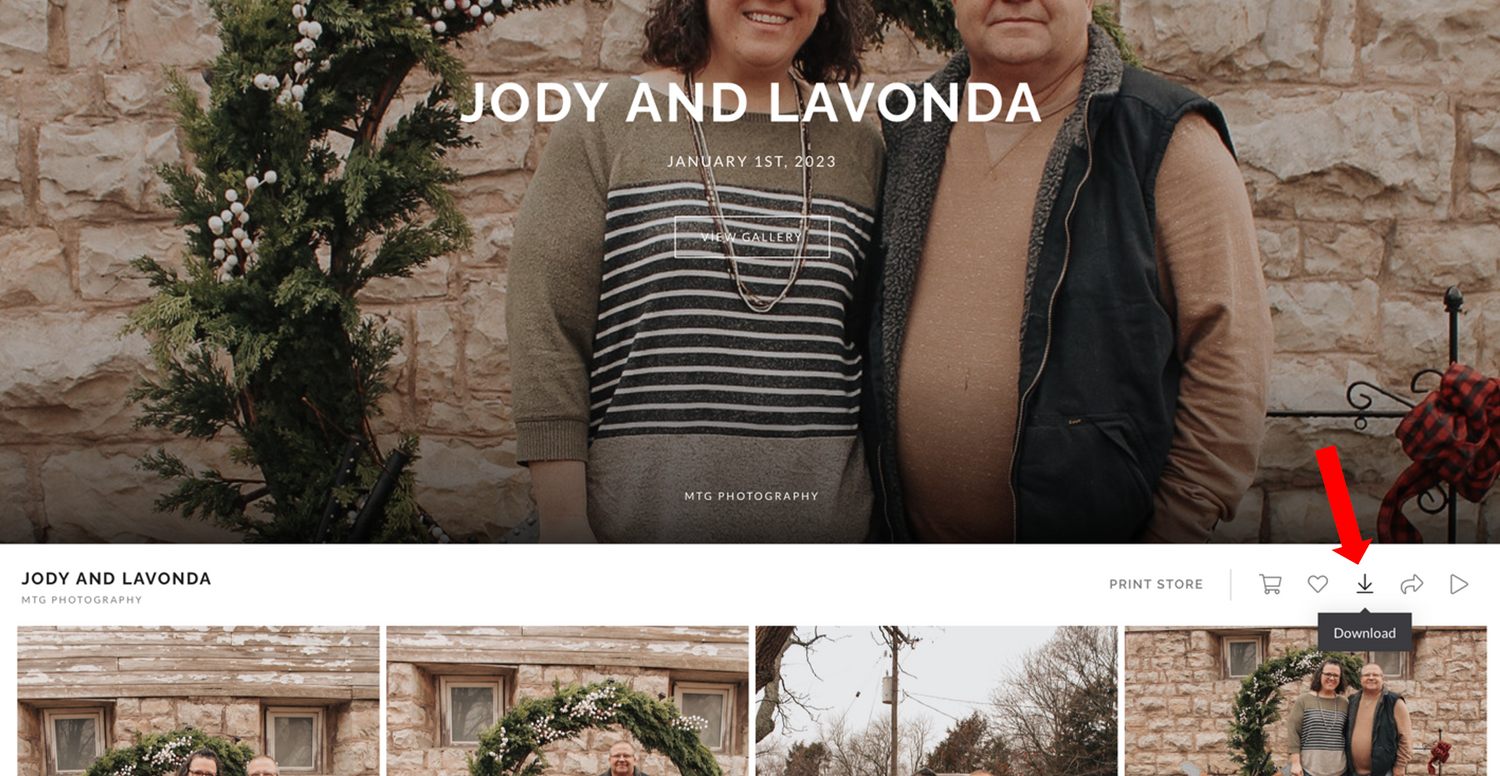
Then a screen like this will pop up. Enter an email address and the 4 digit code I sent you with your link and then click "next".
3.
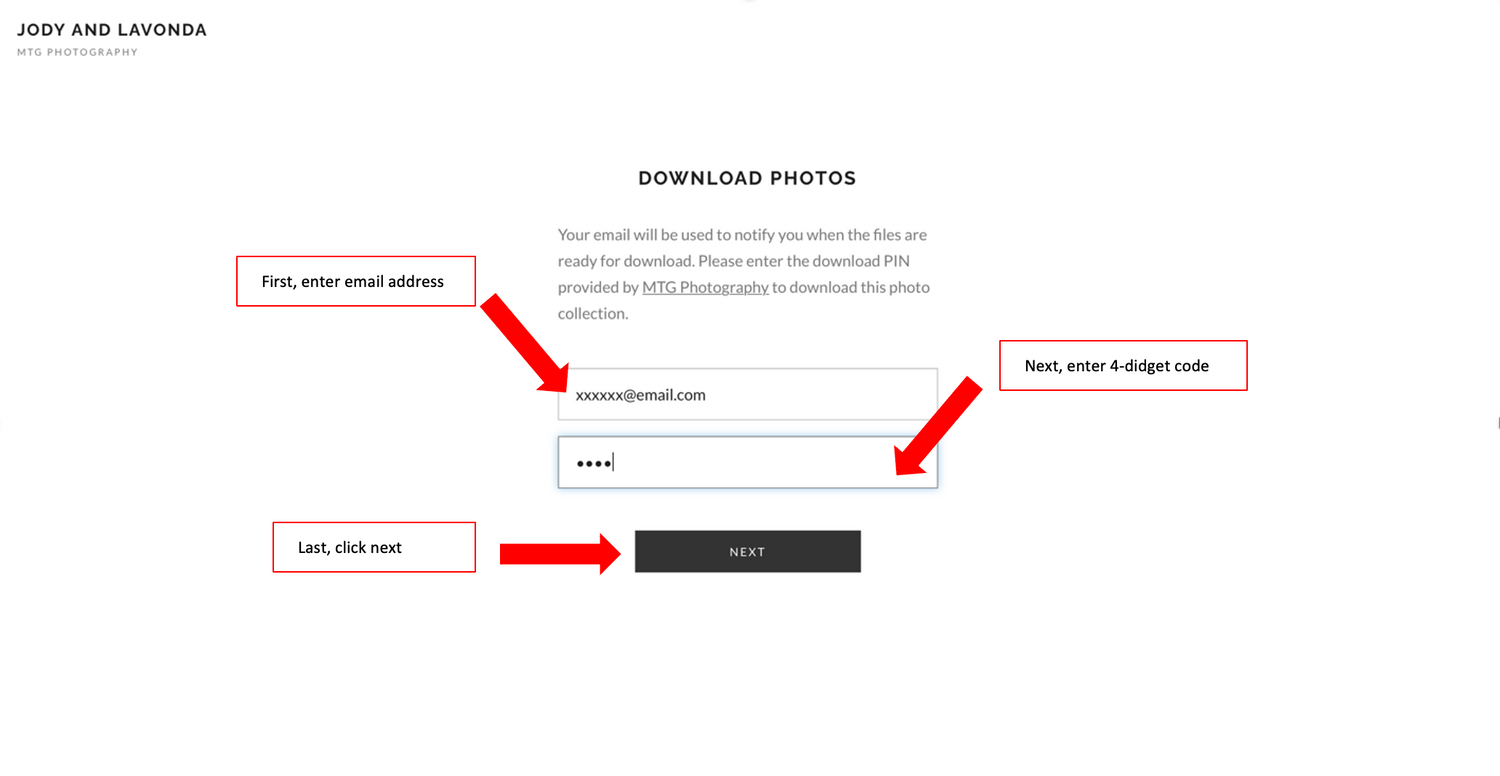
Once you click next, it will lead you to a page that looks like this. First, make sure that the highlights box is checked. Next, select "High Resolution". Then, you have a choice on where you want to download your photos. to download to your computer select "My Computer". Last, click "Start Download".
4.
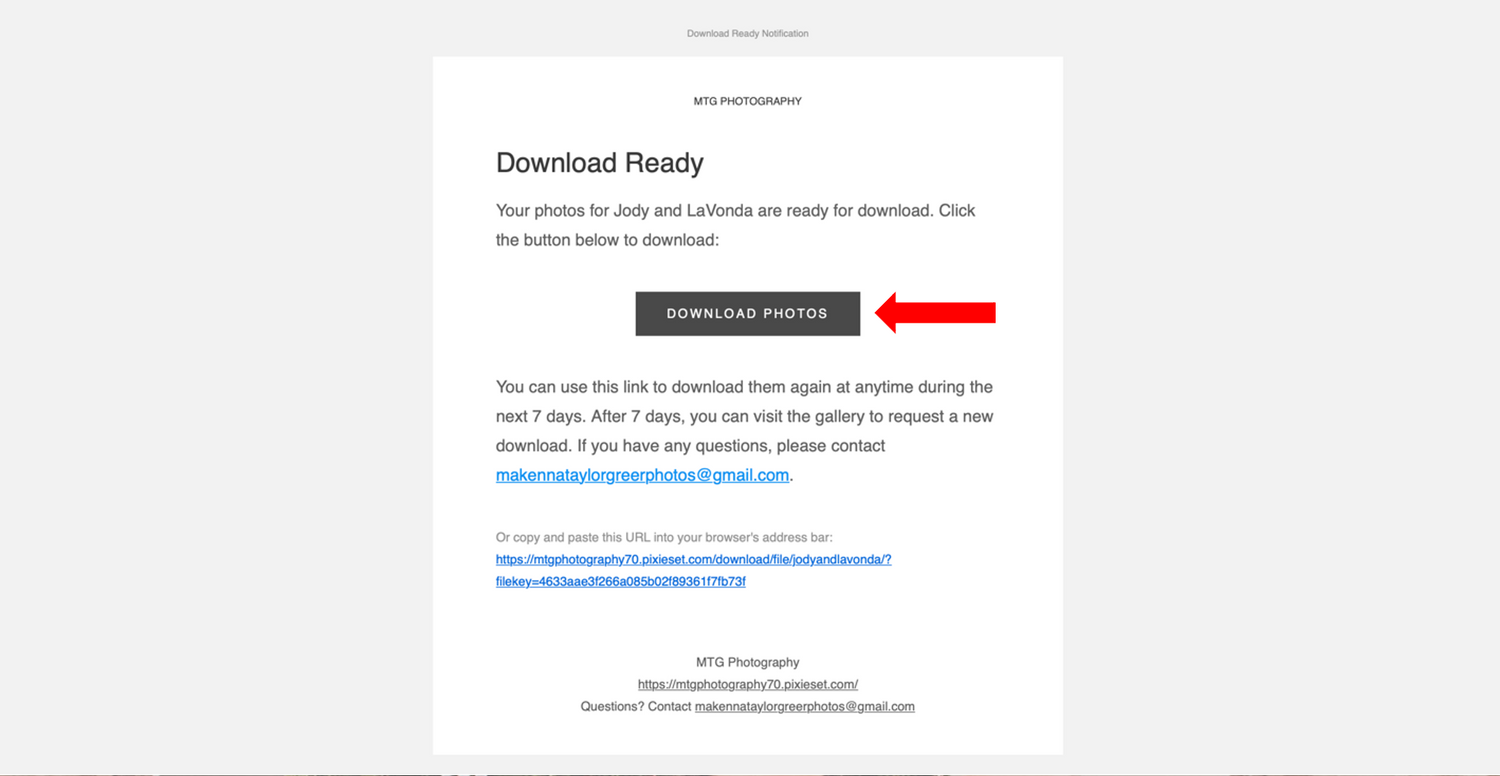
Once you click "Start Download", go to your email and find the email from me (it should say MTG Photography). Open the email and find where it says "Download Photos". Take your cursor and click on it.
5.
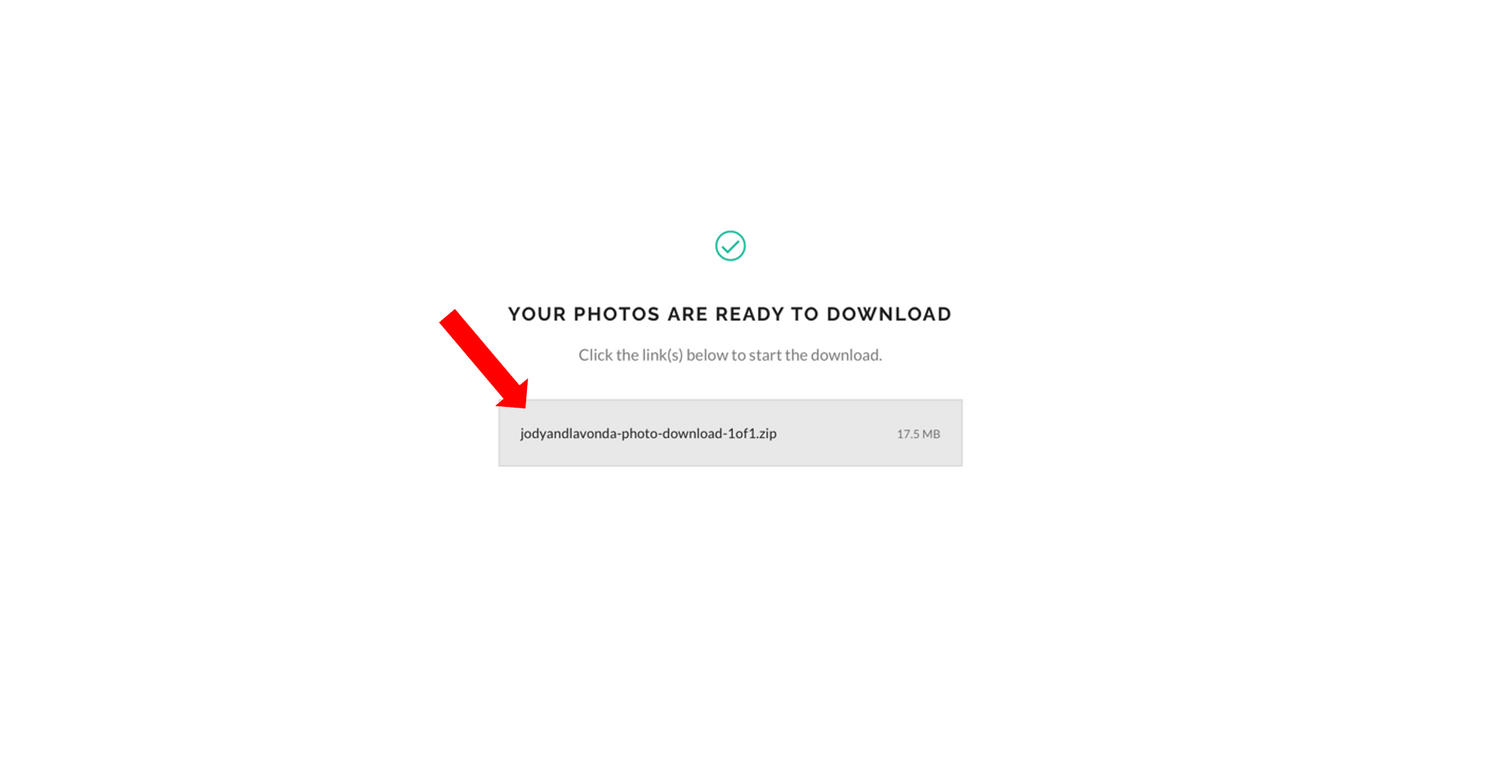
Once you click "Download Photos" it will open you up to this page. Click on the link listed in the grey box to start downloading.
6.
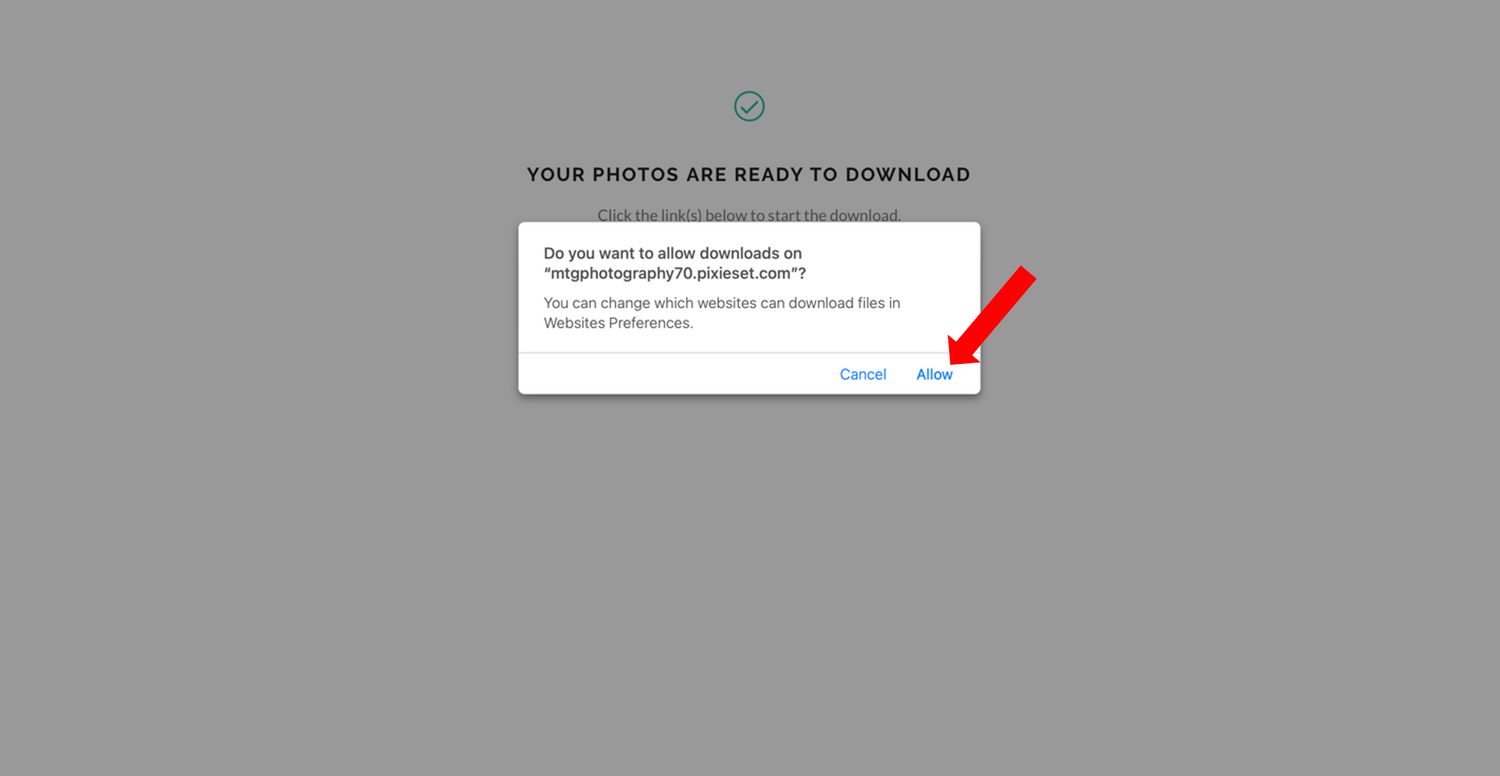
It will then ask if you want to allow downloads just click "allow".
7.
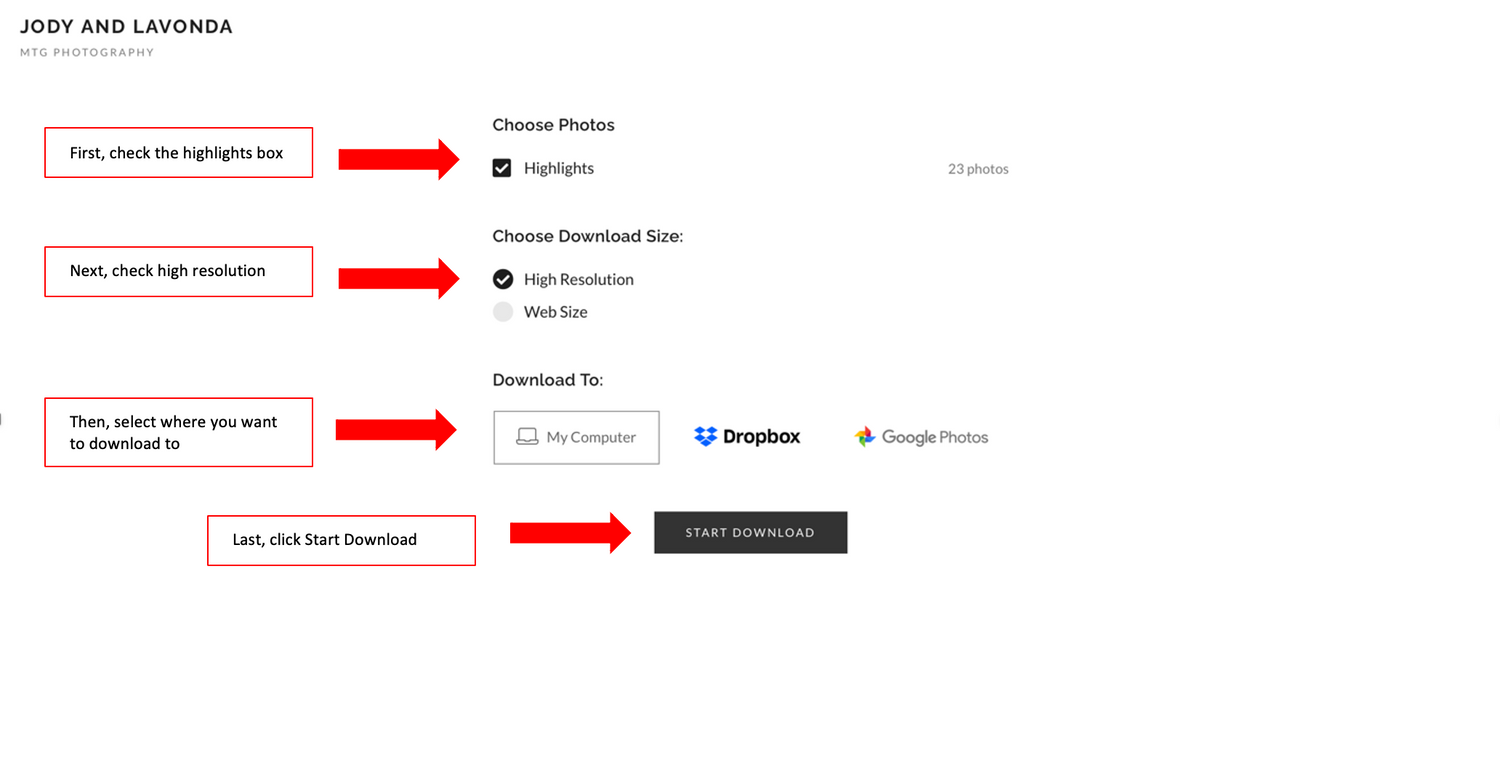
Once you click "allow" the photos will start to download to your computer.
Still needing help and/or have any questions? Feel free to message or call me! Im always happy to help!